Redmine Redesign - Case Study
B2B
Enterprise
Productivity
Web
2022
Project team
• Product Manager • Full stack developer • UI/UX Designer • Quality assurance
Activities
• Research • User Interviews • Visual Design • Prototyping • UI & UX Design • Interaction Design • Testing
Tools I used:
• Figma • FigJam • After Effects • Trello • Google Workspace
Redmine Redesign - Case Study
B2B
Enterprise
Productivity
Web
2022
Project team
• Product Manager • Full stack developer • UI/UX Designer • Quality assurance
Activities
• Research • User Interviews • Visual Design • Prototyping • UI & UX Design • Interaction Design • Testing
Tools I used:
• Figma • FigJam • After Effects • Trello • Google Workspace
//
OVERVIEW
Redesigning a Legacy Tool for Modern Workflows
A fresh UX vision for Redmine aimed at simplifying navigation, improving task management, and creating a cleaner, more intuitive user experience.
//
OVERVIEW
Redesigning a Legacy Tool for Modern Workflows
A fresh UX vision for Redmine aimed at simplifying navigation, improving task management, and creating a cleaner, more intuitive user experience.
//
CHALLENGES
Outdated UX, Heavy Workflows
Redmine’s interface feels old and overloaded, making routine task management slow and frustrating. Users face unclear flows, cluttered screens, and inefficient navigation
//
CHALLENGES
Outdated UX, Heavy Workflows
Redmine’s interface feels old and overloaded, making routine task management slow and frustrating. Users face unclear flows, cluttered screens, and inefficient navigation
//
USER ARCHITYPES & FLOW
Real Users, Real Needs
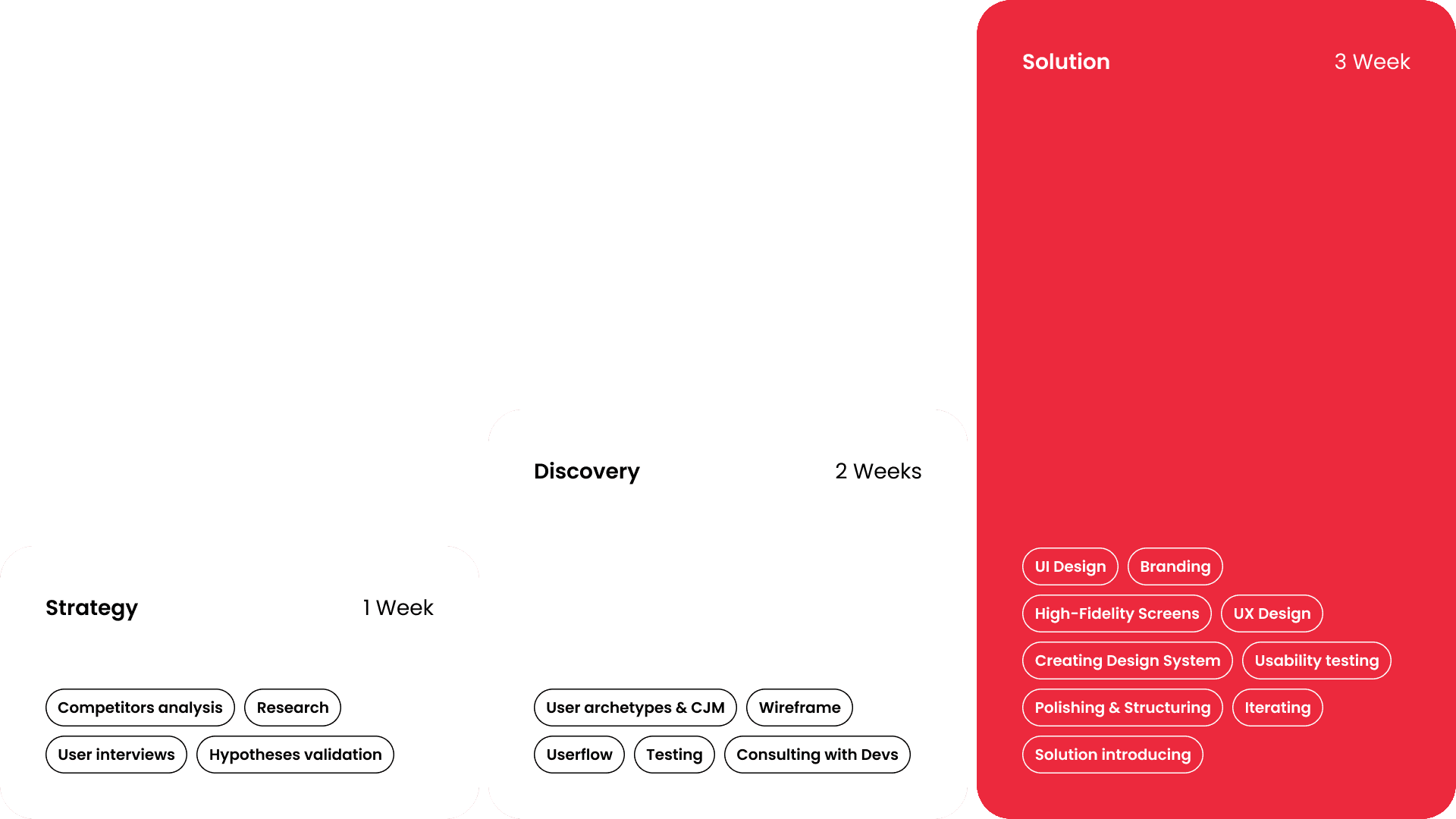
User research allowed us to form a clear persona and journey map, capturing emotions and key pain points developers and PMs face when managing tasks and dependencies
//
USER ARCHITYPES & FLOW
Real Users, Real Needs
User research allowed us to form a clear persona and journey map, capturing emotions and key pain points developers and PMs face when managing tasks and dependencies
Target Audience
Software developers, project managers, QA specialists, and team leads who rely on Redmine for daily issue
Pain point
Confusing navigation, cluttered task views, repetitive micro-actions, difficulty managing complex dependencies
Personal goals
Work faster, maintain project clarity, collaborate easily with the team, and keep tasks organized with minimal effort
Target Audience
Software developers, project managers, QA specialists, and team leads who rely on Redmine for daily issue
Pain point
Confusing navigation, cluttered task views, repetitive micro-actions, difficulty managing complex dependencies
Personal goals
Work faster, maintain project clarity, collaborate easily with the team, and keep tasks organized with minimal effort
//
RESEARCH & INSIGHTS
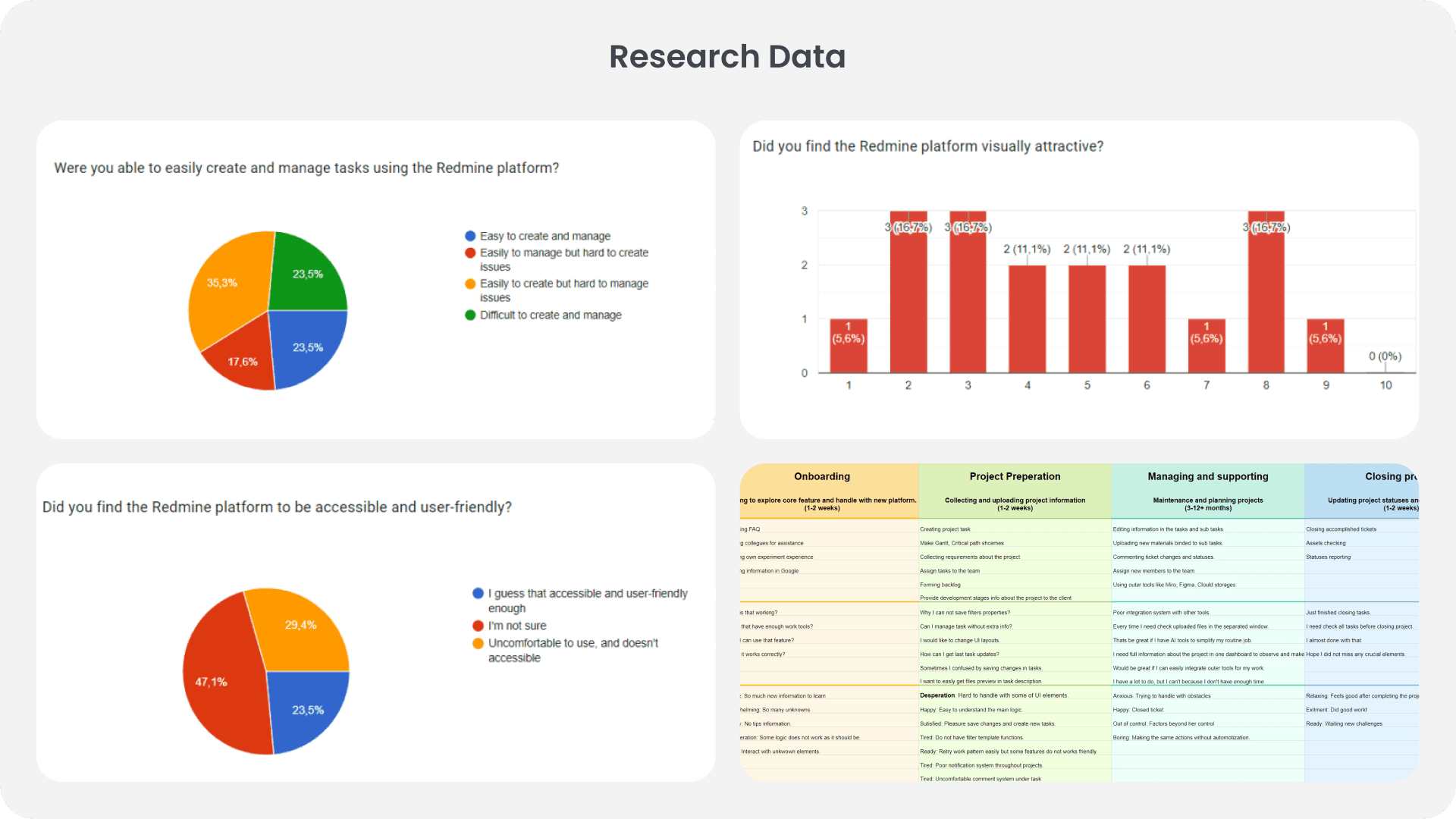
Understanding Everyday Pain
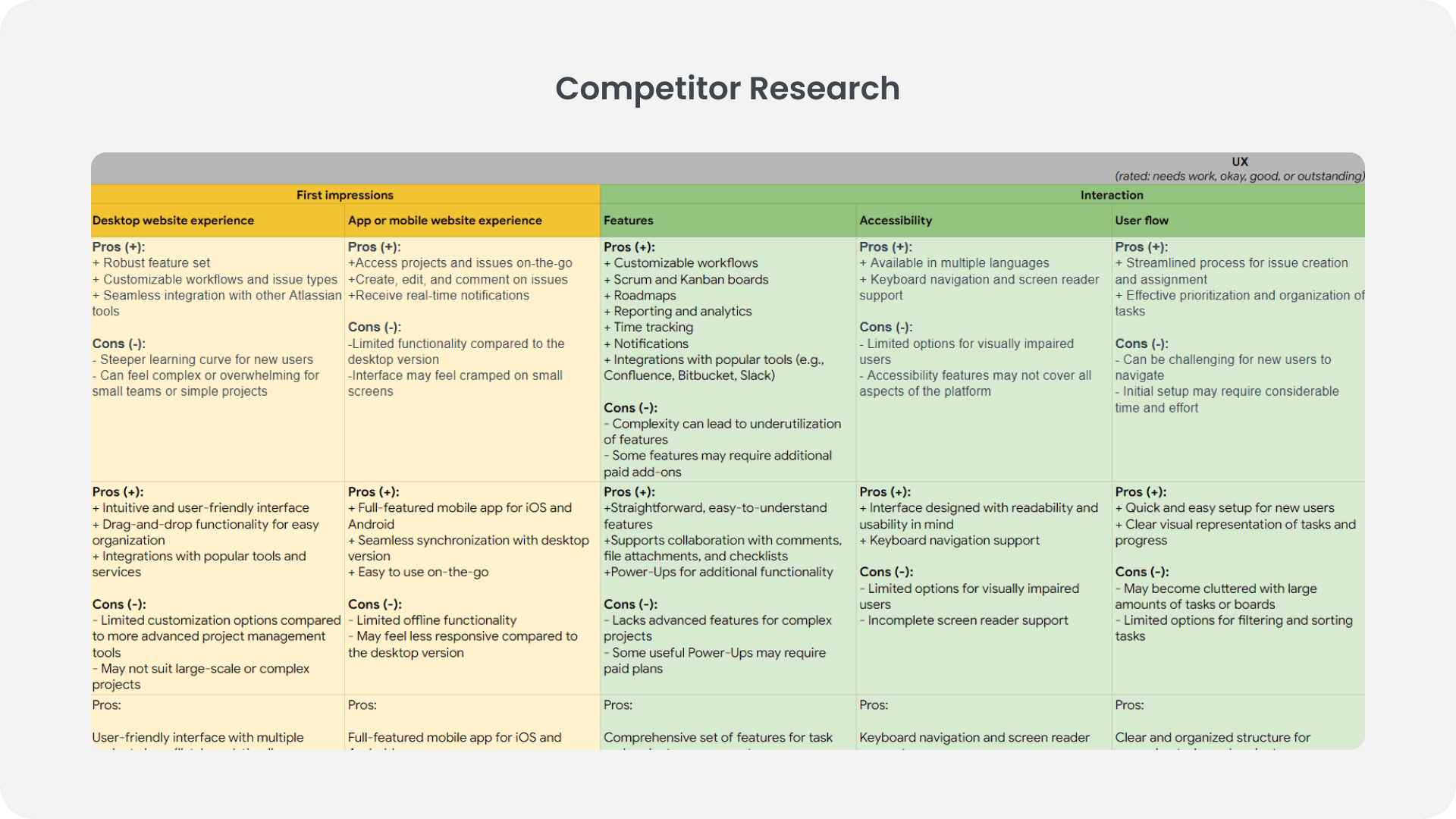
Interviews and behavioral analysis helped uncover critical frustrations and expectations, shaping the foundation of the redesign
//
RESEARCH & INSIGHTS
Understanding Everyday Pain
Interviews and behavioral analysis helped uncover critical frustrations and expectations, shaping the foundation of the redesign

01
Slow Navigation
Navigation between core sections is lengthy and requires too many clicks
01
Slow Navigation
Navigation between core sections is lengthy and requires too many clicks
02
Overloaded Screens
High information density increases cognitive load and makes simple tasks feel heavy
02
Overloaded Screens
High information density increases cognitive load and makes simple tasks feel heavy

03
Need for Simple Power
Users want a cleaner, streamlined interface without losing Redmine’s functional depth
03
Need for Simple Power
Users want a cleaner, streamlined interface without losing Redmine’s functional depth
//
DELIVERABLES
Improvements
//
DELIVERABLES
Improvements
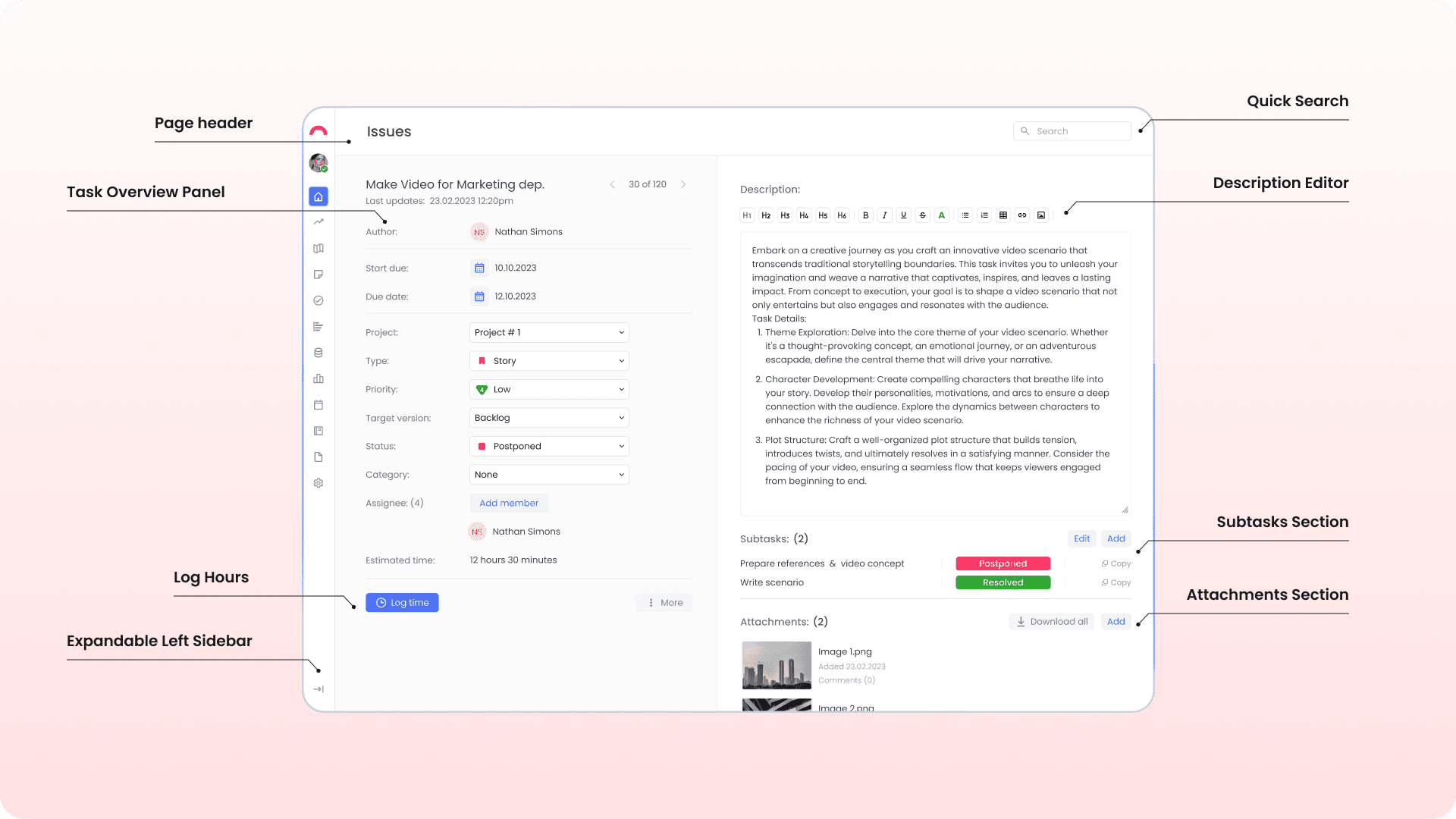
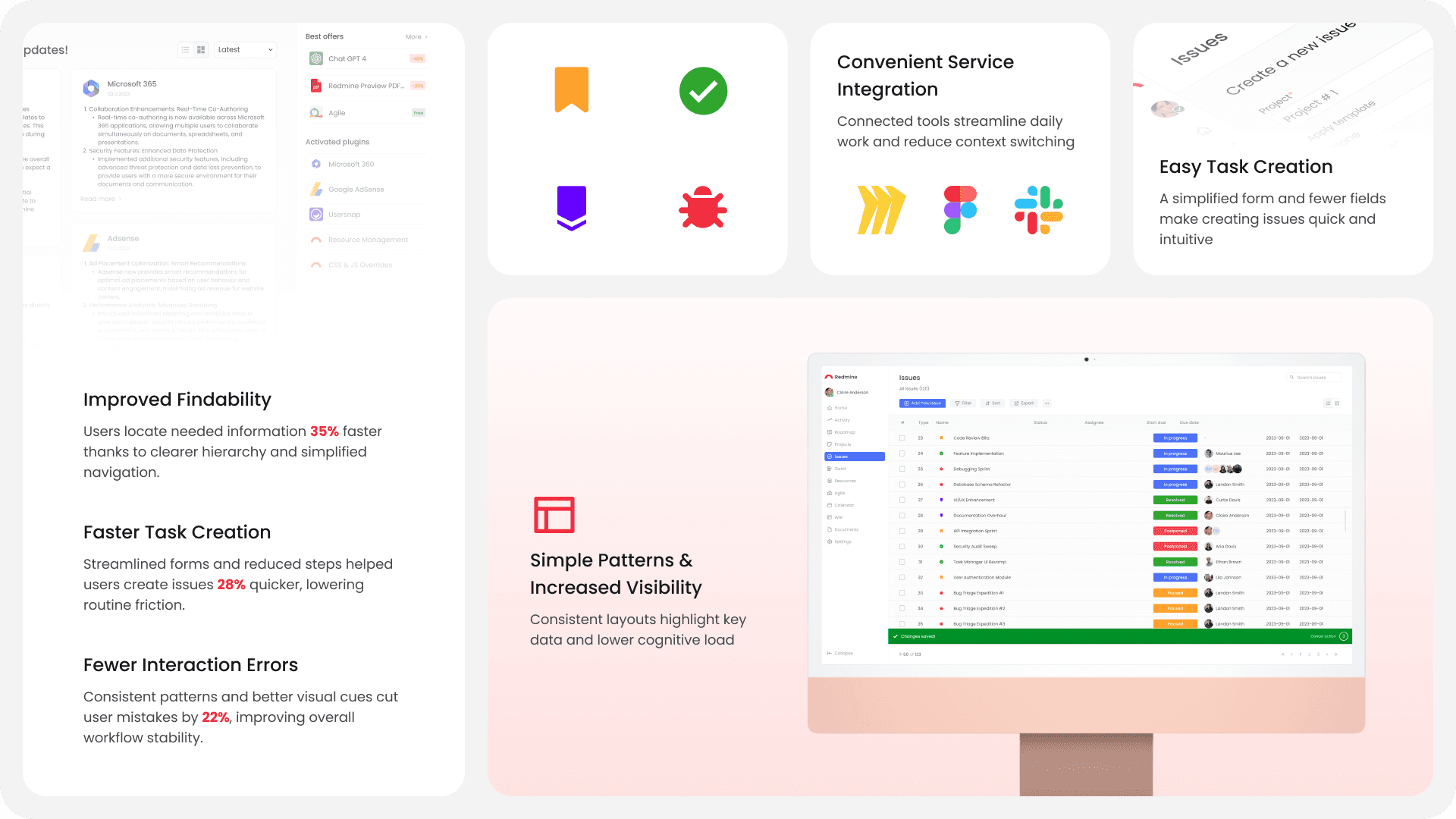
Smart Issue List with Adaptive Filters
A simplified, step-by-step modal reduces clutter and makes creating tasks faster, clearer, and less error-prone
Smart Issue List with Adaptive Filters
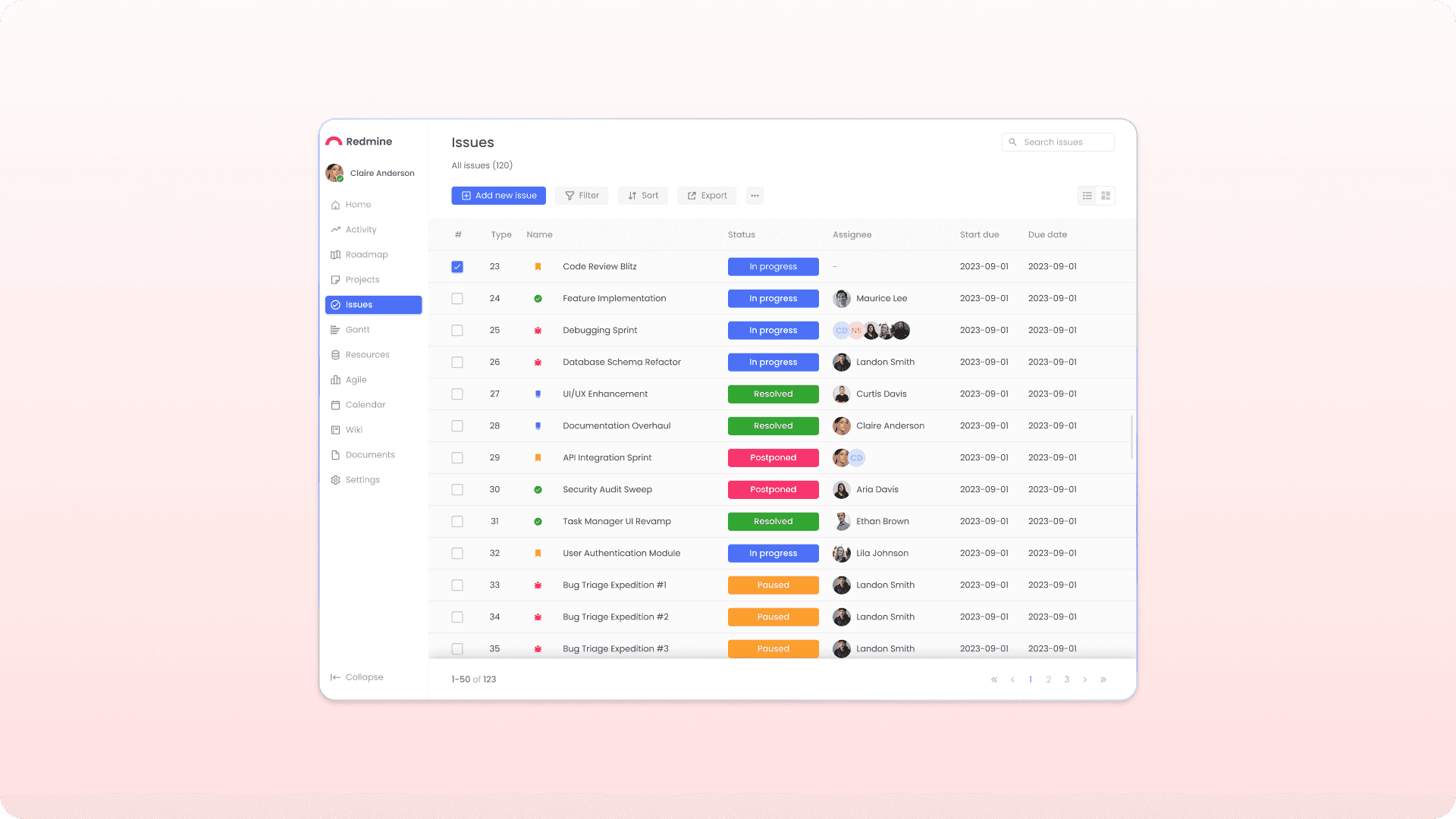
Users can quickly sort, filter, and bookmark views — making large project navigation effortless
Clean & Accessible Visual Hierarchy
Typography, spacing, and contrast improvements help users focus on what matters most
Unified Navigation Bar
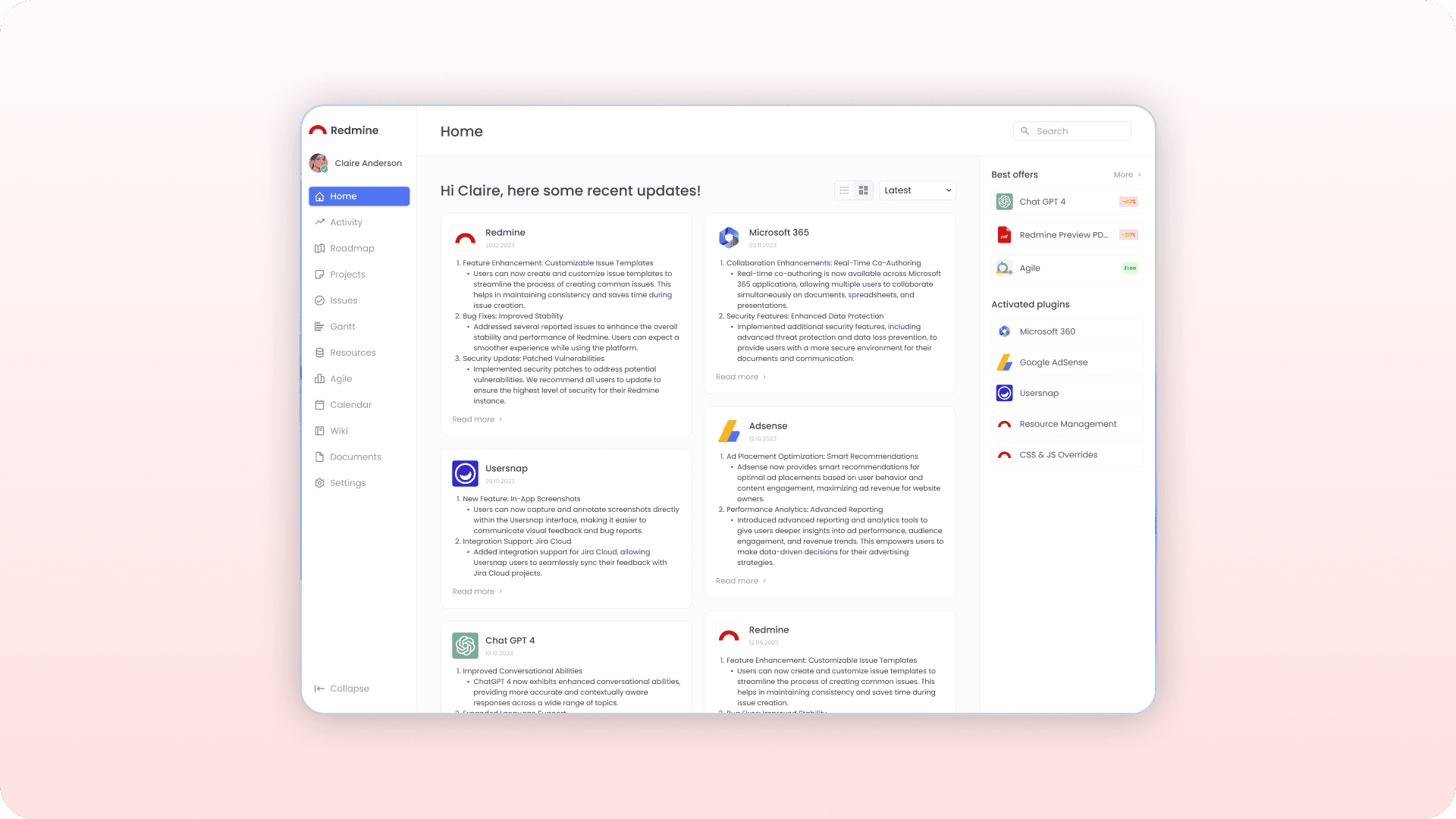
Streamlined global navigation helps reduce confusion and improves orientation across multiple projects
Contextual Quick Actions
Inline editing, shortcuts, and hover actions allow users to update tasks without opening new pages
Enhanced Collaboration Tools
Improved commenting, mentions, and activity feed create a more human and connected workflow
Smart Issue List with Adaptive Filters
A simplified, step-by-step modal reduces clutter and makes creating tasks faster, clearer, and less error-prone
Smart Issue List with Adaptive Filters
Users can quickly sort, filter, and bookmark views — making large project navigation effortless
Clean & Accessible Visual Hierarchy
Typography, spacing, and contrast improvements help users focus on what matters most
Unified Navigation Bar
Streamlined global navigation helps reduce confusion and improves orientation across multiple projects
Contextual Quick Actions
Inline editing, shortcuts, and hover actions allow users to update tasks without opening new pages
Enhanced Collaboration Tools
Improved commenting, mentions, and activity feed create a more human and connected workflow
//
SOLUTION
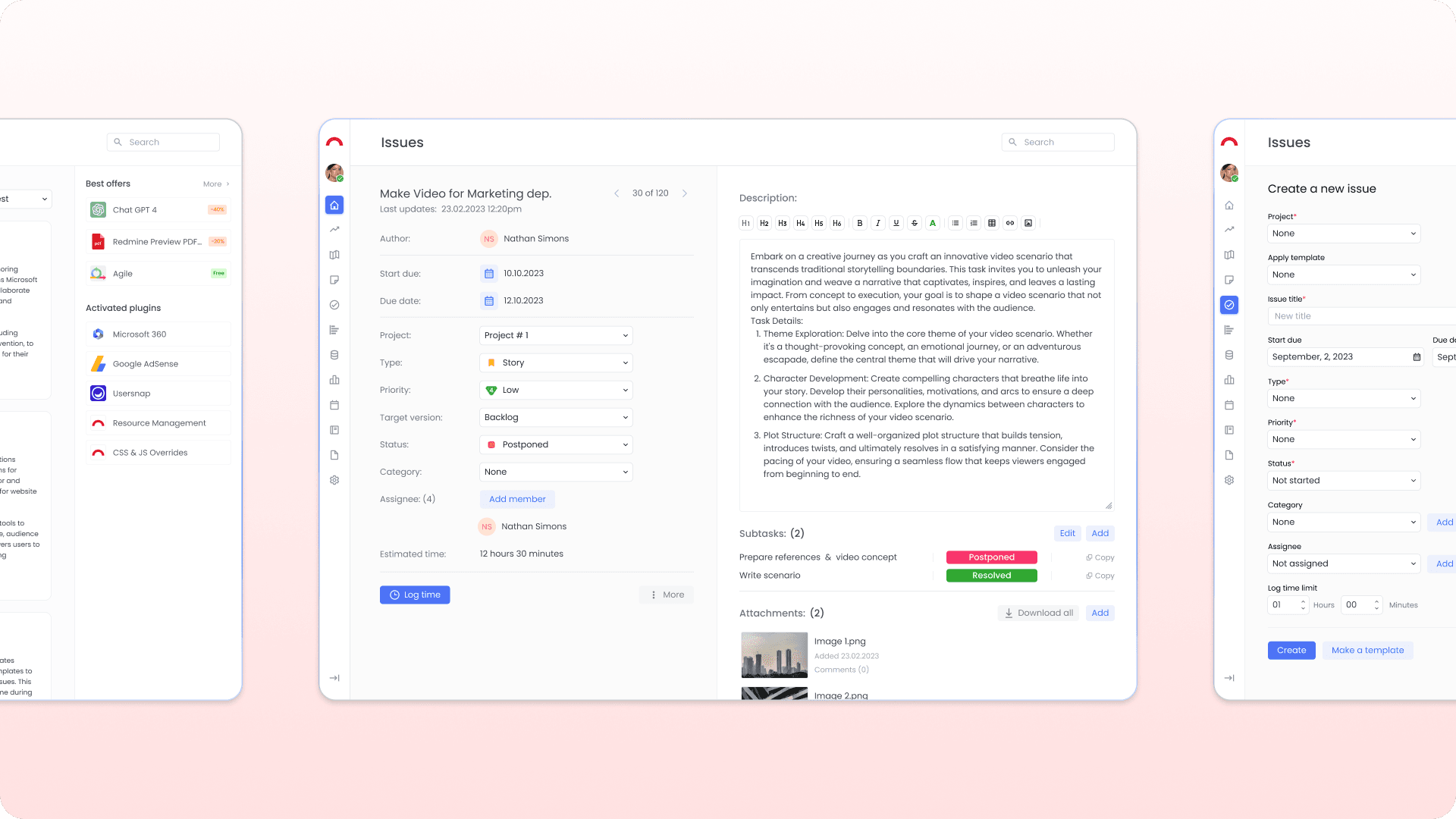
Making Daily Work Effortless
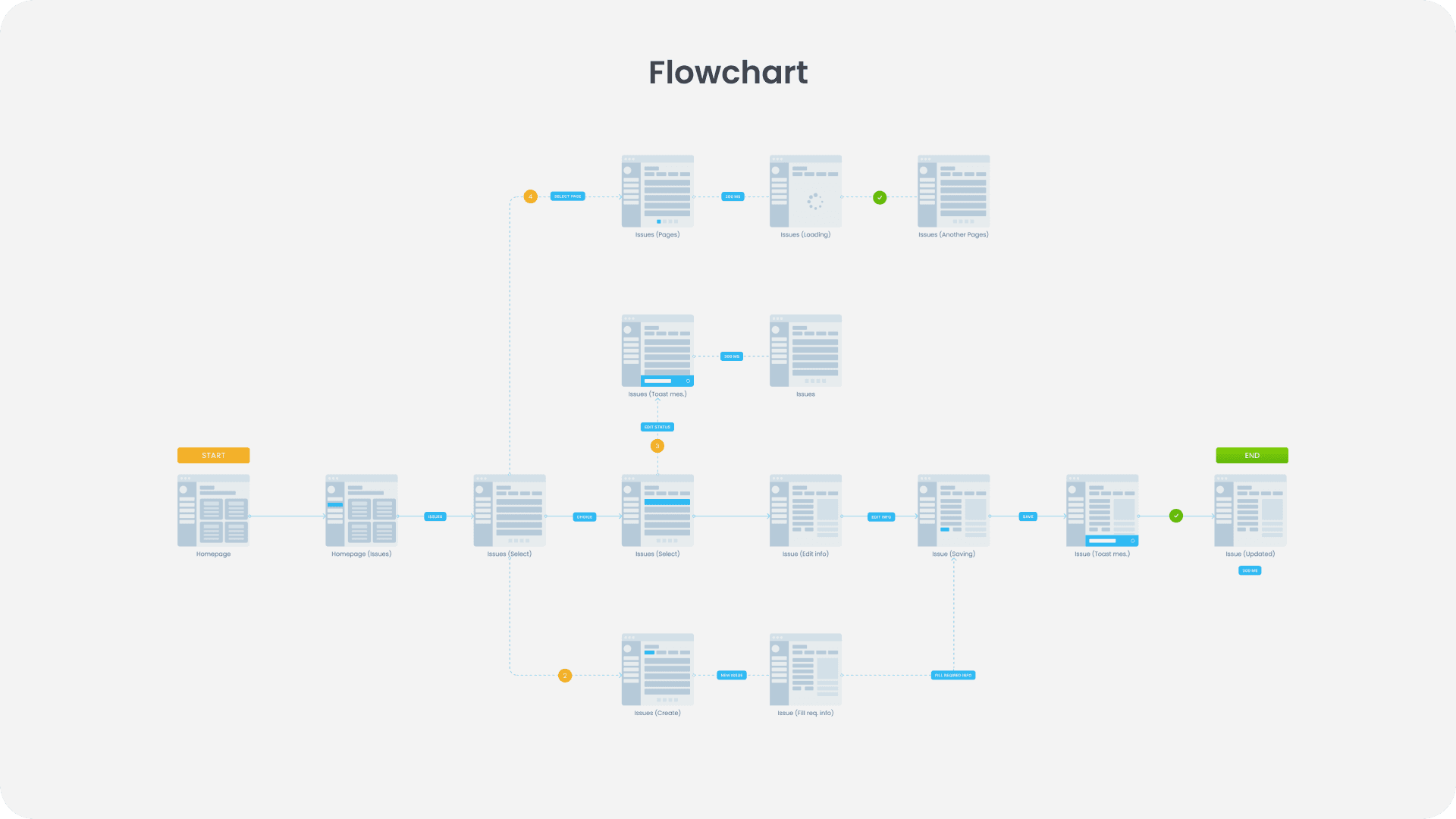
The redesign prioritizes the two most frequently used flows: creating issues and browsing the issue list. By simplifying these core interactions, the updated Redmine experience helps users stay focused, move faster, and feel more in control of their work
//
SOLUTION
Making Daily Work Effortless
The redesign prioritizes the two most frequently used flows: creating issues and browsing the issue list. By simplifying these core interactions, the updated Redmine experience helps users stay focused, move faster, and feel more in control of their work